
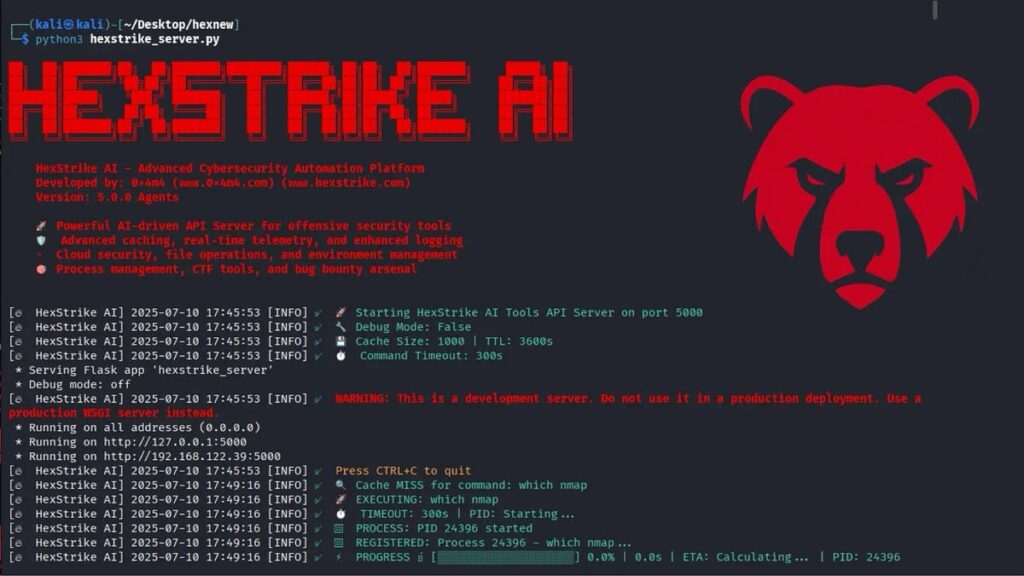
Lab Environment: Kali Linux + Hexstrike AI MCP + Claude Desktop Download Lab Guide PDF
🎯 Task
Setup the HexStrike MCP Server on Kali Linux and connect it with Claude Desktop AI. So you can run AI-powered security tools directly from your terminal environment.
🧪 Solution
Step 1 — Download & Install Claude Desktop on Kali Linux
Install Claude Desktop on Kali Linux using the community Debian package hosted on GitHub:
🔗 https://github.com/aaddrick/claude-desktop-debian
Run the following commands one by one in your terminal:
# Add the GPG key
curl -fsSL https://pkg.claude-desktop-debian.dev/KEY.gpg | sudo gpg --dearmor -o /usr/share/keyrings/claude-desktop.gpg

# Add the repository
echo "deb [signed-by=/usr/share/keyrings/claude-desktop.gpg arch=amd64,arm64] https://pkg.claude-desktop-debian.dev stable main" | sudo tee /etc/apt/sources.list.d/claude-desktop.list

# Update and install
sudo apt update
sudo apt install claude-desktop
Once installed, open Claude Desktop and complete the sign-in process with your Anthropic account.
Step 2 — Download & Install HexStrike MCP on Kali Linux
Clone and set up the HexStrike MCP server from GitHub:
🔗 https://github.com/0x4m4/hexstrike-ai
# 1. Clone the repository
git clone https://github.com/0x4m4/hexstrike-ai.git
cd hexstrike-ai

# 2. Create virtual environment
python3 -m venv hexstrike-env
source hexstrike-env/bin/activate

# 3. Install Python dependencies
pip3 install -r requirements.txt
Then start the HexStrike server:
cd ~/hexstrike-ai
source hexstrike-env/bin/activate
python3 hexstrike_server.py
Step 3 — Configure HexStrike MCP in Claude Desktop
Open the Claude Desktop MCP configuration file and add the following server configuration:
{
  "mcpServers": {
    "hexstrike-ai": {
      "command": "/home/kali/hexstrike-ai/hexstrike-env/bin/python",
      "args": [
        "/home/kali/hexstrike-ai/hexstrike_mcp.py",
        "--server",
        "http://localhost:8888"
      ]
    }
  }
}
✅ Your HexStrike MCP Server is now running and connected to Claude Desktop!
-End-
Download Lab Guide PDF
📚 About This Lab
This lab is part of the Cyber Security & Ethical Hacking training program at Networkwalks Academy.
🌐 www.networkwalks.com
📧 info@networkwalks.com
📞 +27 766 222 218 | +27 788 220 600
We offer training & certification in:
Cisco CCNA • Cybersecurity • Ethical Hacking • Python • Linux • AI
© All rights reserved, Networkwalks Academy. Leave your feedback at info@networkwalks.com — your questions, comments & suggestions are always welcome.